
Schedule automatic world backups for ARK Ascended dedicated servers
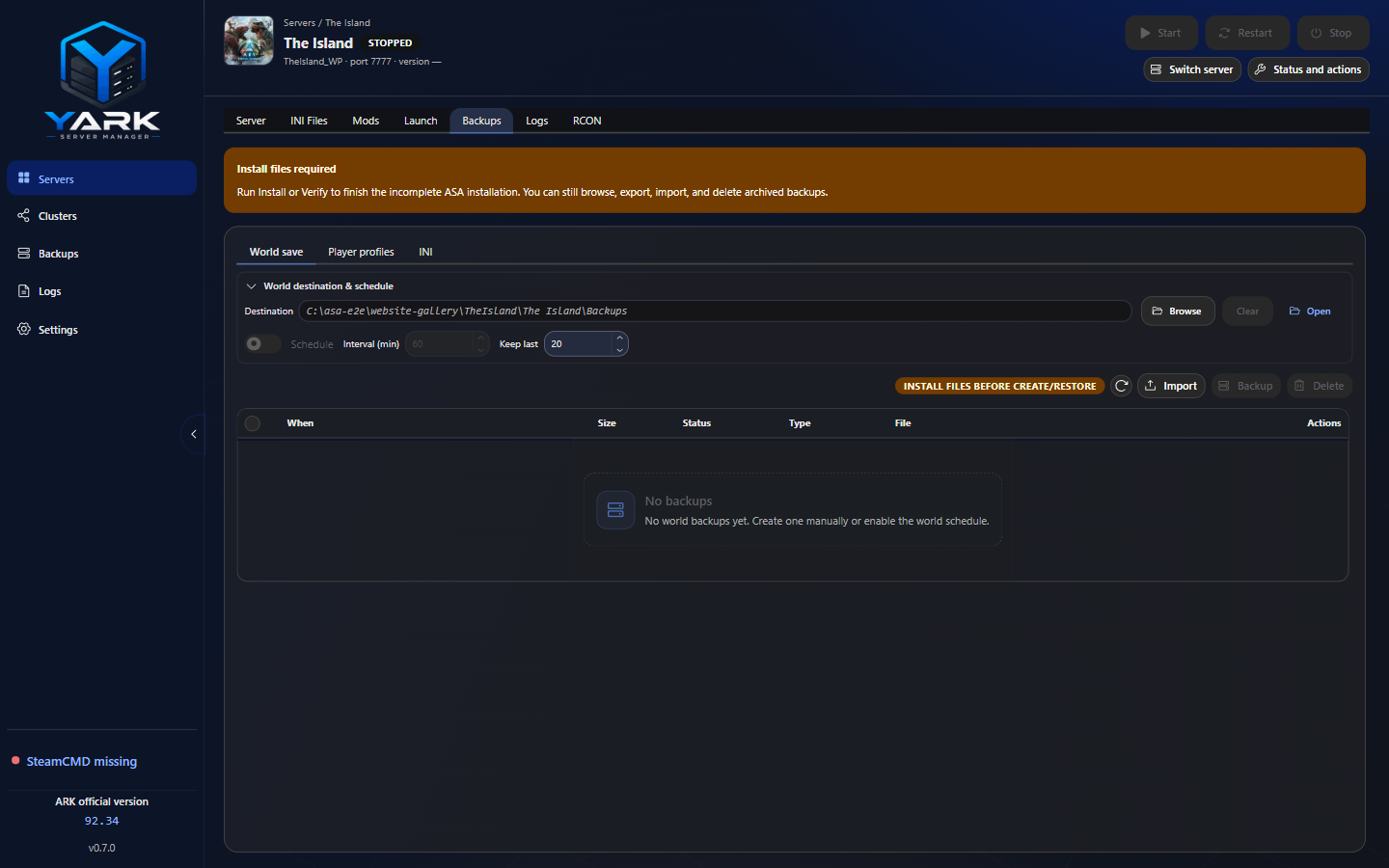
Backups are ZIP archives under a per-server destination (default {installDir}\Backups unless you set another folder).
What each kind contains
Section titled “What each kind contains”| Kind | Live source | Inside the archive |
|---|---|---|
| World | Active map folder under SavedArks (exact map token, or shorter folder for some mod maps) | SavedArks/{MapToken}/ |
| Players | Join/leave .arkprofile (+ related) under SavedArks / SaveGames | Flat PlayerProfiles/{id}.arkprofile |
| INI | Game.ini + GameUserSettings.ini in Config/WindowsServer | ConfigWindowsServer/ |
World backups package one map (primary .ark, bak companions, profiles/tribes in that folder) — not the entire SavedArks tree. Custom maps can set an optional World save folder when the on-disk folder name differs from the launch token.
On-disk layout:
{backupRoot}/ World/ Player profiles/ INI/New archives are named {server}-{kind}-{type}-…-{YYYYMMDD-HHmmss}.zip (compact local date at the end). Create and restore require installation health Ready; you can still browse and export archives beforehand. World/INI tabs also support Import.
Where to manage them
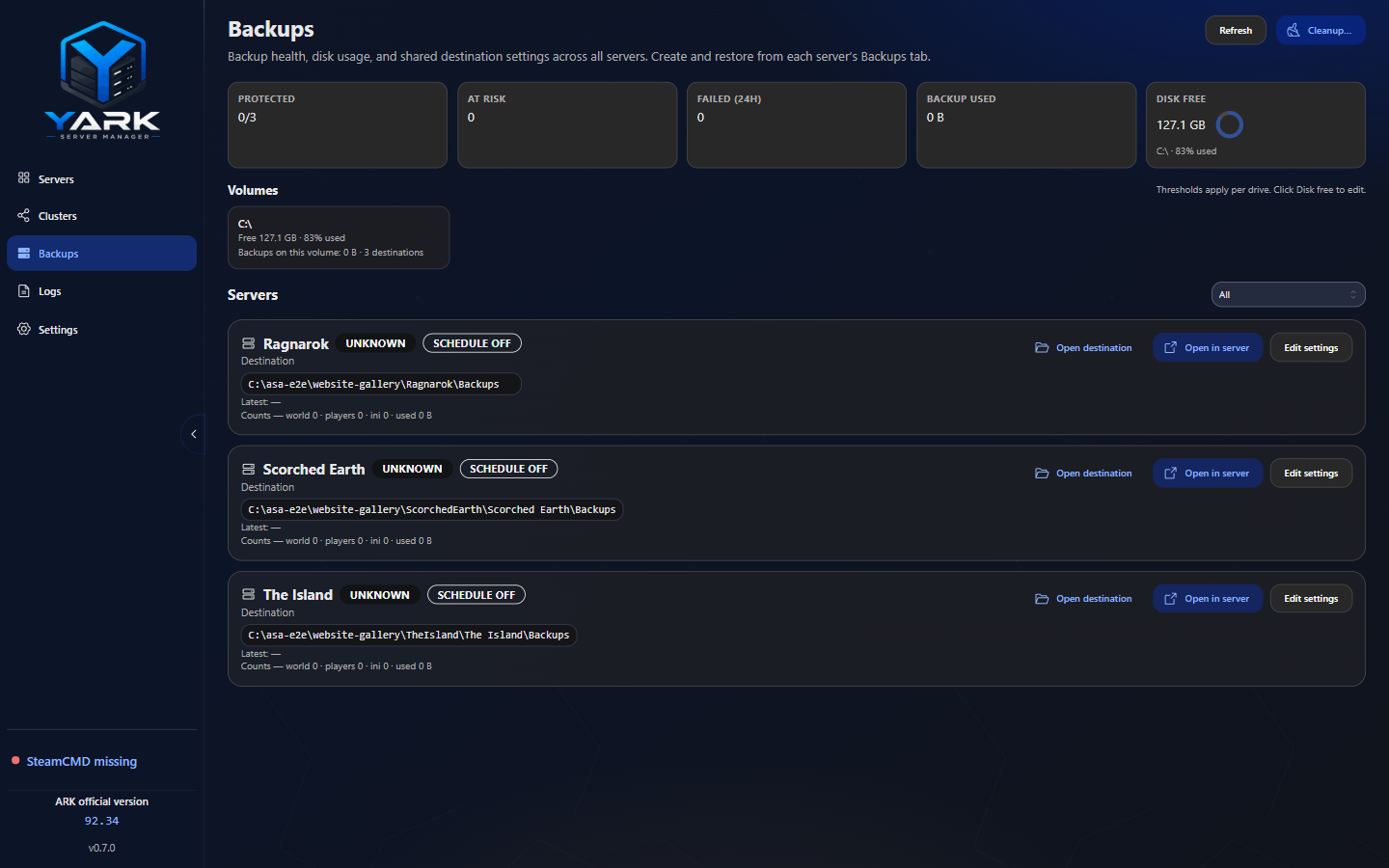
Section titled “Where to manage them”- Per server — Workspace → Backups (shared Destination above World / Player profiles / INI; World/INI: Backup now, schedule, restore, export/import; Players: join/leave history, restore, export). Per-kind policy is open by default (collapsible; not kept across kind changes).
- Fleet — sidebar Backups (health, disk pressure, destinations)
Triggers
Section titled “Triggers”| Trigger | Behavior |
|---|---|
| Manual create | World/INI tabs create that kind; Players has no manual “all players” button; flushes world via RCON SaveWorld when active |
| World schedule | Optional; world only; server must be active; interval minimum 5 minutes |
| Player join/leave | Session watcher snapshots (not gated by the world schedule) |
| INI-on-save | Debounced after a successful INI save |
| Stop | Best-effort pre_stop (world) after graceful exit |
| Restart | Fail-hard pre_restart (world) after stop, before start |
| Safe update | Fail-hard pre_update (world) before SteamCMD work |
Default schedule policy (when enabled): interval 60 minutes; retain ~20 world per map / ~20 players / ~10 INI (configurable). Fleet Cleanup “Delete older backups past each server’s keep limit” and Keep only last N per kind use those same per-map / per-player pools (world and players; INI stays flat). The schedule waits a full interval after the process becomes active, counts failed attempts toward the interval, and can pause for the rest of the YARK session after repeated failures (policy stays enabled). Use Clear failed on the history toolbar to drop failed rows that left no archive on disk.
Portable export / import
Section titled “Portable export / import”Use these when moving archives between disks or hosts:
- Export — copy a completed archive to a path you choose (USB, NAS, another folder). The managed original stays put.
- Import — pick a YARK-compatible ZIP for the World or INI tab; YARK validates it, copies it into the backup destination with a unique name, and lists it in history. Import does not restore live files — use Restore when you are ready. World imports still need a per-map
SavedArks/{MapToken}/layout to restore later. The Players tab does not offer Import (use Export on a join/leave archive to move it between hosts). - Delete — remove one or more completed archives from history and disk from the history row actions.
Unsafe or corrupt ZIPs are rejected before anything is written outside the managed backup folder.
Restore rules
Section titled “Restore rules”-
Backup must be completed
-
Server must not be running
-
YARK creates a same-kind
pre_restoresafeguard first -
Then applies the archive:
- World — overlays the archived map folder (other SavedArks maps stay put); optional profiles/tribes toggle
- Players — overlays flat profile files into the current map folder (does not wipe unrelated live profiles)
- INI — copies present INI files into live config and drops any leftover Configuration draft so the next Start cannot flush queued edits over the restore
Critical path vs best-effort
Section titled “Critical path vs best-effort”| Snapshot | Failure mode |
|---|---|
pre_restart / pre_update | Fail-hard — operation stops; no blind continue |
pre_stop | Best-effort — server already stopped; warning event if packaging fails |
| INI-on-save | Best-effort |
Coming later
Section titled “Coming later”Richer restore-audit history in the Backups UI is still on the roadmap — see the product site.