
Serve local ASA configuration with Hosted Resources
What Hosted Resources does
Section titled “What Hosted Resources does”Hosted Resources is an experimental, opt-in loopback server. It publishes text,
INI, or JSON from this PC at a YARK URL such as http://127.0.0.1:8935/r/....
Use it for ASA settings that accept a URL, including admin lists and dynamic
configuration, when you do not want to maintain a public paste.
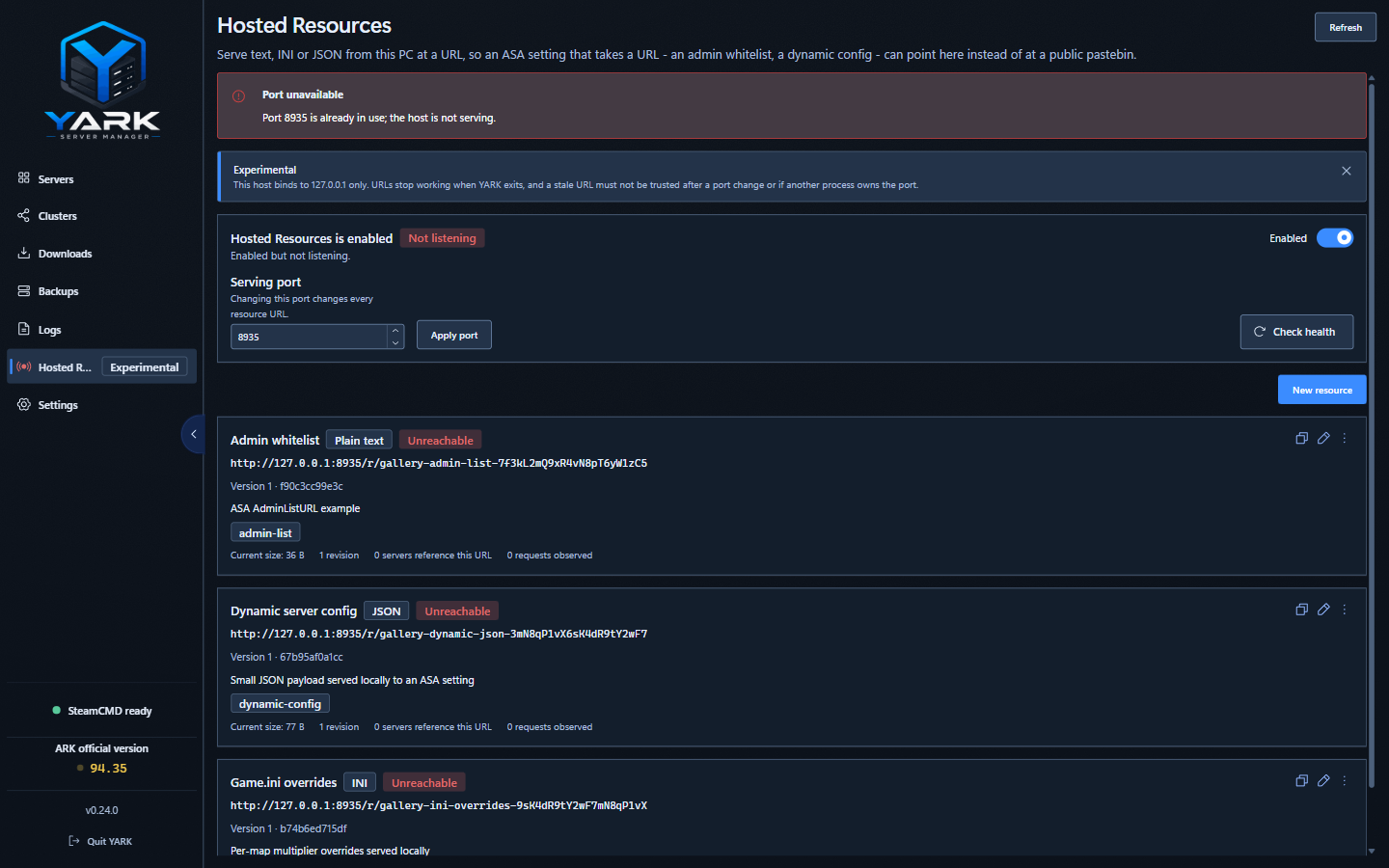
Publish and use a resource
Section titled “Publish and use a resource”- Open Hosted Resources from the sidebar and turn it on.
- Create a resource, choose its format, and publish its content.
- Copy the generated URL into the ASA setting that accepts it. The URL picker is available in supported fields, including the AdminListURL and dynamic configuration fields.
- Keep YARK running while ASA needs to fetch the URL. The host binds to loopback only, so it is intended for a server running on this PC.
Changing the serving port changes every resource URL. Existing values then show as stale references until you select or paste the current URL.
Diagnostics and repair
Section titled “Diagnostics and repair”Use Check health to verify loopback ownership, compare the published bytes, and scan managed server INIs and launch arguments for YARK URLs. Diagnostics distinguish content mismatches, unreachable content, disabled resources, and resources with nothing published yet.
If a resource was deleted while a server setting still contains its URL, the reference remains visible as an unresolved reference. Use Open setting to jump to the server workspace surface where you can remove the stale URL or choose a replacement.