
Install and update ARK Ascended server files with SteamCMD
ASA dedicated app id: 2430930.
Shared caches (next to SteamCMD)
Section titled “Shared caches (next to SteamCMD)”| Cache | Purpose |
|---|---|
steamapps/depotcache | Compressed Steam downloads (network reuse) |
asa_content_cache | Expanded install copied into each server |
SteamCMD always uses:
+force_install_dir <dir> +login anonymous +app_update 2430930 validate +quitvalidate is always passed.
Install / update / verify pipeline
Section titled “Install / update / verify pipeline”- Ensure
asa_content_cachevia SteamCMD (unless a fresh in-session cache can be reused for install) - Robocopy cache → server
installDir, excludingShooterGame\Saved(worlds, INI, players) - If robocopy fails → fallback SteamCMD update directly on the server install dir
| Action | Reuses fresh 15‑min cache? | Notes |
|---|---|---|
| Install files | Yes | Prefer stopped server |
| Update | No — always talks to Steam | Safe-update path |
| Verify | No — always talks to Steam | Same auto-stop/restart idea; no pre_update / rollback |
Jobs queue with retries (up to 3 attempts) and can resume after app restart. Watch them on the sidebar Downloads page (active vs queued vs paused vs needs attention). Other pages show a footer teaser instead of a floating progress dock.
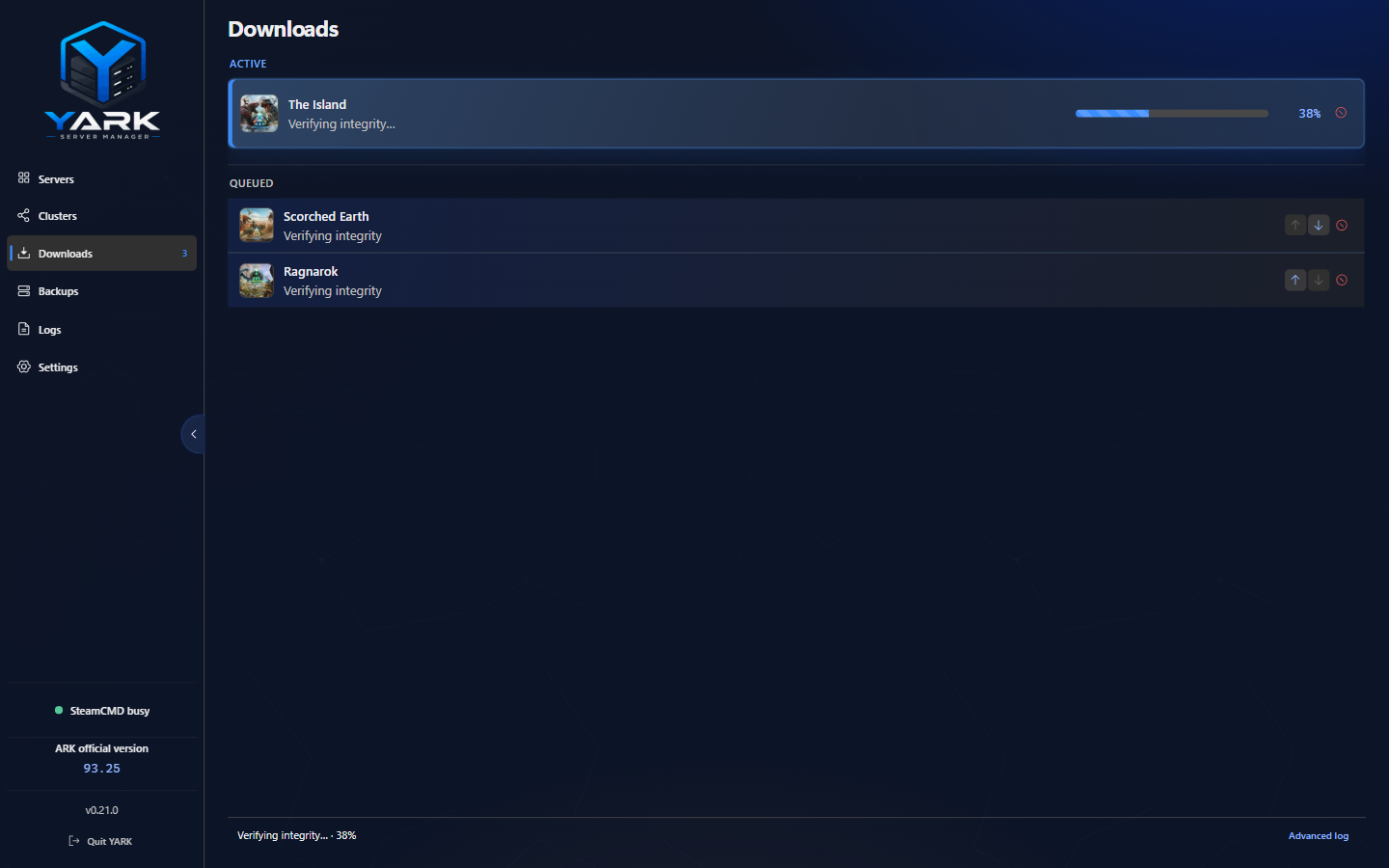
Downloads — one SteamCMD job runs at a time; Pause/Resume apply to install and update. Verify uses Cancel. A cancel is stored as Cancelled in Logs → Updates, and Open in Logs opens that file.
Safe update
Section titled “Safe update”When you run Update on a server that was running:
- Remember
wasRunning - Stop without a nested
pre_stopbackup - Create fail-hard
pre_updatebackup (world) - SteamCMD update + robocopy sync
- If it was running → start and wait up to ~90s for healthy running
- On failure after backups exist → restore each
pre_updatearchive, optionally restart if it was running, then fail the job
A server that was already stopped stays stopped after success (and after rollback).
The workspace Maintenance tab can also opt in to auto-update when a newer dedicated build appears: warn players, stop at countdown end, then use the same safe-update path (skipped while Downloads is paused). See Maintenance.
Fleet update all
Section titled “Fleet update all”When several stopped servers share the same outdated Steam build, use Update All on the Overview header (next to Check server updates). The preview lists every outdated profile with skip reasons for running, disabled, not-ready, or already-queued servers. Accept queues safe Update jobs into Downloads one server at a time — the modal closes as soon as queueing finishes.
“Update available” signal
Section titled ““Update available” signal”YARK compares Steam build ids:
- Local:
steamapps/appmanifest_2430930.acfin the install - Public: SteamCMD.info API for app
2430930
The Wildcard ARK Version string shown in the UI is informational only — do not treat it as the Steam update decision (staggered rollouts make those non-equivalent).
- Point Settings → SteamCMD at a disk with room for the shared cache
- Prefer safe update over manual file copies into
installDir - Check Logs → Updates for per-job log files under app userData, including jobs you cancelled
- Live SteamCMD console streams on Downloads for the active job
Related: Backups, Troubleshooting.