
Edit GameUserSettings.ini with a visual INI editor
Paths under each install:
{installDir}/ShooterGame/Saved/Config/WindowsServer/ GameUserSettings.ini Game.iniVisual + raw editors
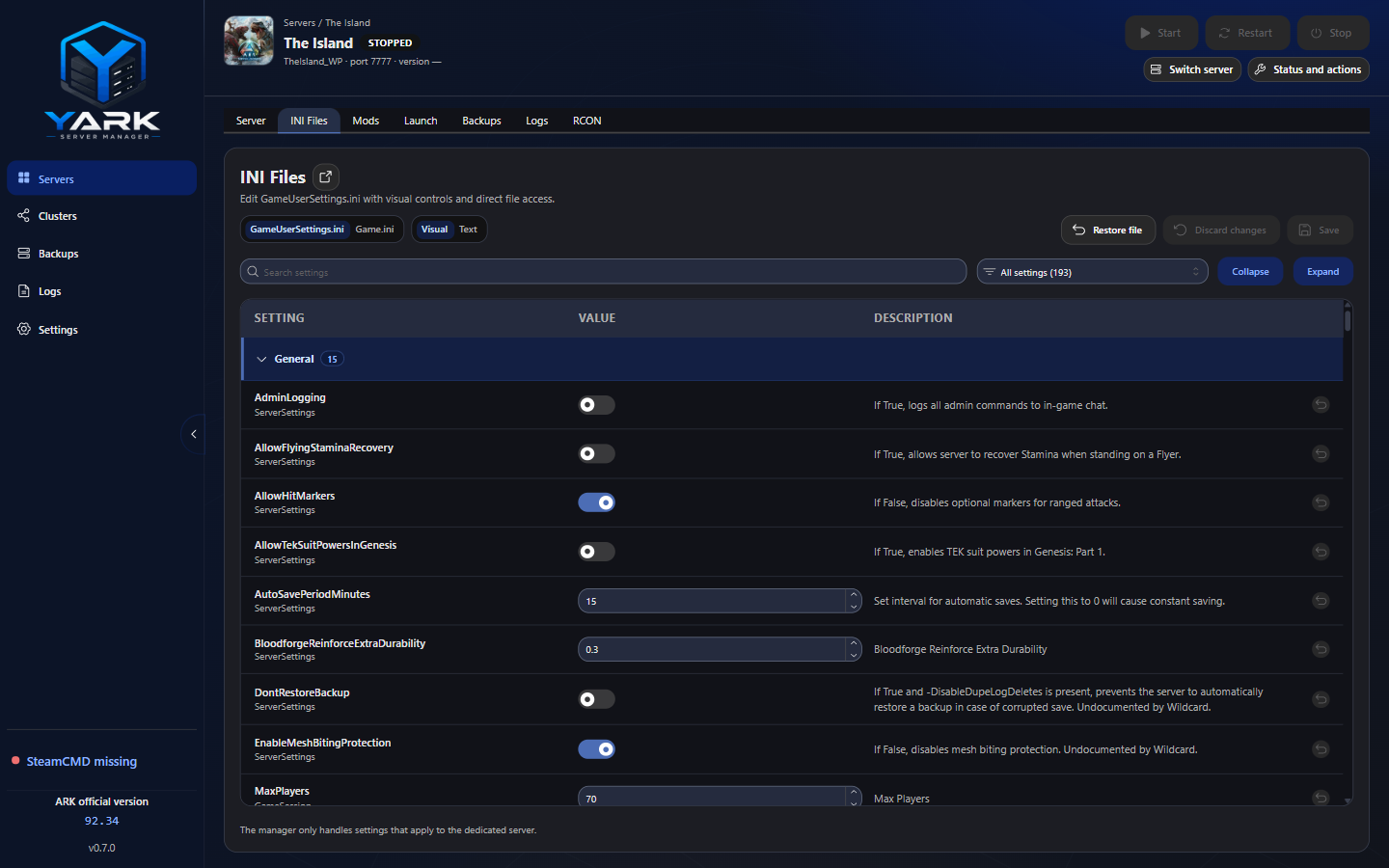
Section titled “Visual + raw editors”- Read seeds missing files from built-in defaults and sanitizes client noise (resolution, volume, scalability keys, etc.)
- A changed visual row shows an unsaved mark, the last saved value (or that the key was absent), and a per-row revert that leaves your other drafts alone
- Visual Save writes only the simple settings you changed onto the latest file on disk, so a non-overlapping edit from Notepad can stay. If you both changed the same setting, Save refuses instead of overwriting silently
- If the files change outside YARK while the visual editor is clean, YARK reloads them when the window regains focus. If you also have unsaved edits, an info note counts the outside changes and links to the detail; click Save to merge when the edits do not overlap
- Raw/text Save refuses the write when the file changed outside YARK since the editor loaded. Reload from disk is always in the toolbar
- Save sanitizes → validates a few semantic ranges → writes both files → best-effort INI backup
- While the dedicated server is running, Save queues a durable draft instead of writing live files ASA can overwrite; YARK flushes that draft after Stop or before the next Start
- Visual editor Other keeps custom mod
[Section]keys nested by section (expand/collapse on the Other header) - Do not expect generic INI libraries to round-trip ASA — section names can contain dots literally
Engrams and loot
Section titled “Engrams and loot”On Game.ini, Visual adds Engrams and Loot beside Settings.
Engrams edits named engram overrides. Search the official list, or type a custom class with no spaces. A new line is saved only after a point cost, a level, Hidden, or Remove prerequisite is set. A new line does not turn Hidden on by itself. Points per level is edited in that view, one integer per level, and those lines stay out of the Settings table. Save rewrites only the lines that changed.
Loot edits a supply crate override by crate and item name. The list names the beacon crates and which maps use each one, and notes a crate when this server’s map does not use it. A weight is a share of its list, not a percent. The Simulator rolls the open crate and does not write the file. Save rewrites only the loot lines that changed. Removing a row removes that override; the crate in the game stays and uses the game’s loot.
Semantic checks include RCON port range and DifficultyOffset 0–1 when [ServerSettings] is present, and leftover MaxPlayers 1–255 on [/Script/Engine.GameSession] or [ServerSettings] if those keys are present. Max players on the Server form (1–255) launches -WinLiveMaxPlayers — that is the live cap. ASA ignores INI MaxPlayers. Empty or 0 omits the flag (ASA then defaults to 70).
Profile networking fields (RCON, passwords, session, ports) are also written on start via profile→INI sync. See Start, stop, restart.
Configuration assistant
Section titled “Configuration assistant”On-demand from the Server tab — not a permanent nav item.
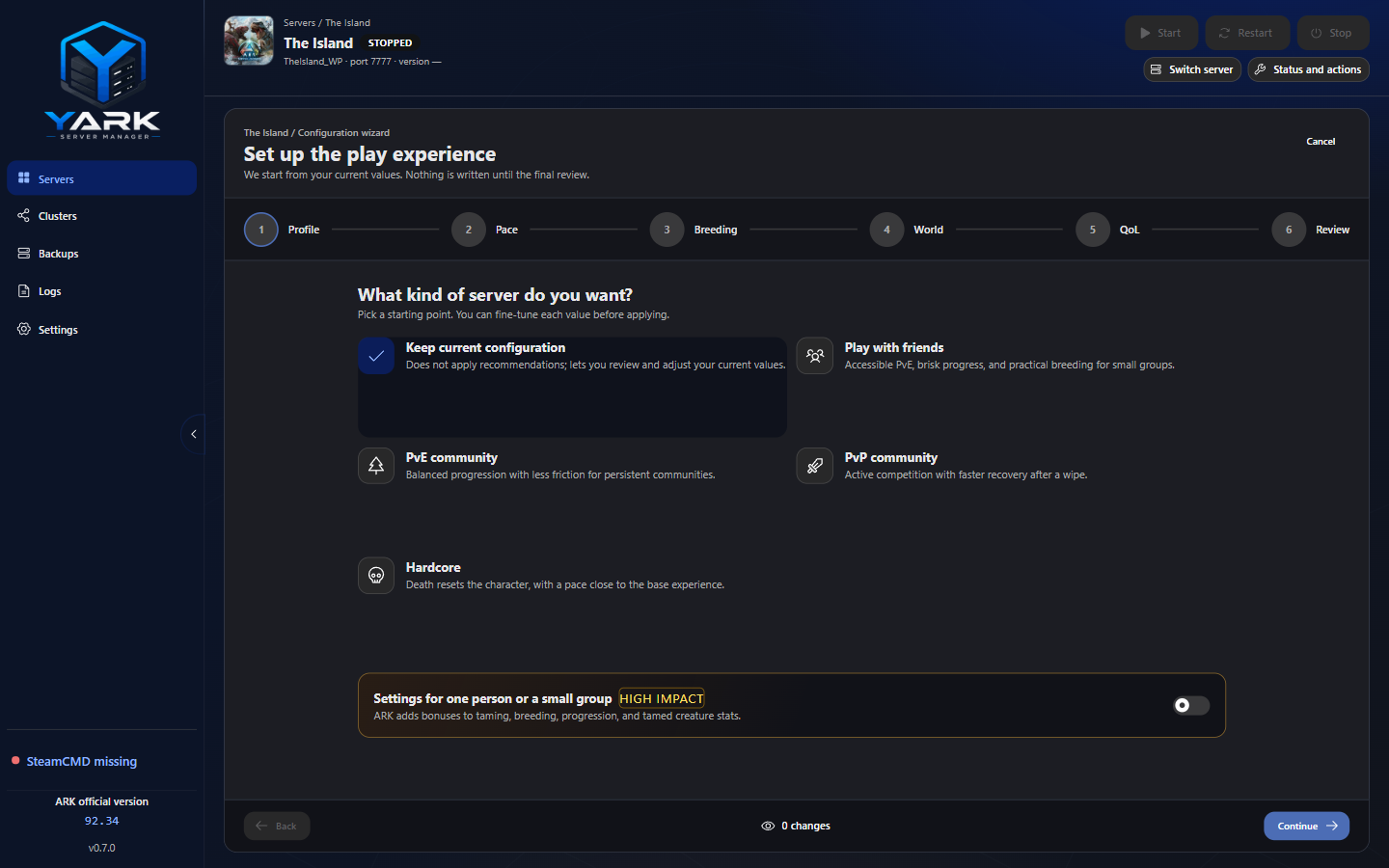
- Profile — experience cards (including Enable single-player settings). Match cluster defaults can Seed or Restore the cluster INI template (pace skip). First-run create offers Use default configuration.
- Pace — rate presets, WildCard-matching marks, world-difficulty tiers (Very easy–Very hard), resource respawn, and INI details for the keys behind the controls
- Breeding — cuddle/imprint scale with maturation so 100% imprint stays reachable
- World — Current → Very easy…Very hard (official Base). Max players is not a wizard preset; it lives on the Server form (
-WinLiveMaxPlayers) - QoL — easy-oriented profiles enable Always allow structure pickup; cave building (PvE) and floating damage text
- Review — lists the INI keys that will change; nothing is written until you apply
Rules that matter:
- Blocked while the manual INI editor has unsaved dirty edits
- Draft-only until Apply changes
- Apply re-reads latest INI, overlays only curated keys, preserves unknown keys / casing
- Difficulty keys rewrite only when you make an explicit level choice